
worth it
If you make videos for TikTok, YouTube Shorts, Instagram Reels, ads, product promos, or even basic business content, you’ve probably heard people hype up CapCut like it’s some kind of magic editing app. And honestly? A lot of that hype is deserved. But there’s also a mountain of misleading reviews pretending CapCut is either a flawless Adobe killer or complete trash. Reality sits somewhere in the middle.
CapCut became huge because it solved a problem most video editors ignored for years: people wanted fast content, not film school. Traditional editors like Adobe Premiere Pro and DaVinci Resolve are incredibly powerful, but they can feel painfully slow for social media creators. CapCut flipped the experience entirely. Instead of building around timelines first, it built around speed, templates, captions, vertical video, trends, and AI automation. That changed everything.
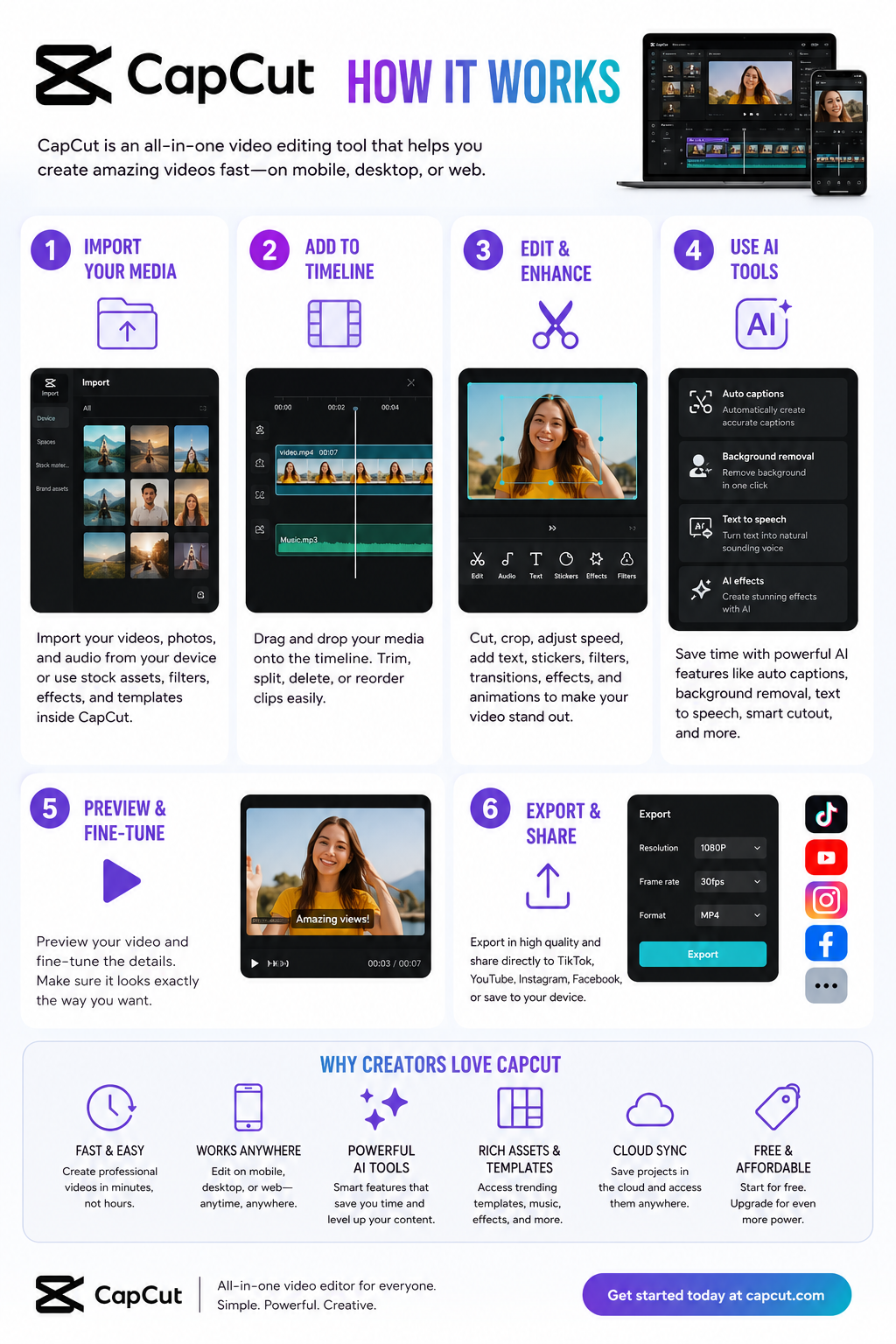
The biggest reason CapCut exploded is simple: it removes friction. You can record a clip, auto-caption it, add transitions, background music, motion effects, zoom cuts, and export something that looks professionally edited in minutes. For short-form creators, that matters more than advanced cinema-grade controls. Reddit creators constantly mention that CapCut’s workflow feels dramatically faster for social media content than older professional editors.
Where CapCut really shines is automation. Auto-captions alone save creators hours every week. The AI subtitle system is surprisingly accurate for normal speech and automatically styles captions for social platforms. Background removal is another standout feature. Instead of manually masking subjects frame-by-frame like older editing software required, CapCut lets beginners create polished edits with one click.
The mobile experience is arguably the best part of the entire platform. Most mobile editors still feel like stripped-down desktop software. CapCut doesn’t. It was designed around phones from the start, and that matters. The controls feel intuitive, templates load fast, and exporting vertical videos for social media is dead simple. For creators who mainly work from phones, CapCut honestly feels years ahead of many competitors.
The desktop version has improved massively too. A lot of people still think CapCut is “just a mobile app,” but that’s outdated thinking. The desktop editor now includes multi-track editing, AI tools, motion tracking, keyframes, effects libraries, templates, voice generation, and advanced export options.
Now let’s talk about the part most fake reviews avoid: the downsides.
CapCut is not a true replacement for high-end professional editing software if you work on long-form cinematic projects, documentaries, feature production, advanced audio mastering, or heavy color grading. It simply isn’t built for that level of complexity. You can absolutely create professional-looking content in CapCut, but there’s a difference between “professional-looking social content” and full-scale production workflows.
Another issue is platform dependence. CapCut is deeply tied to the short-form social media ecosystem, especially TikTok and vertical video culture. That’s great if your business depends on viral content. It’s less ideal if you want timeless editing workflows that aren’t built around trends.
The pricing situation is also confusing now. CapCut used to feel ridiculously generous for free users. Today, more AI features, effects, templates, and advanced exports are moving behind paid plans. The free version is still strong, but some users feel frustrated because features they relied on became Pro-only over time.
That said, compared to Adobe pricing, CapCut Pro is still relatively affordable for most creators. Many Reddit users openly say they switched because the value proposition made more sense for social media work.
There’s another issue that deserves real attention: privacy and ownership concerns.
CapCut’s parent company is ByteDance, the same company behind TikTok. In recent years, critics raised concerns about terms of service language related to uploaded content and usage rights. Some creators became uncomfortable with how broad the licensing terms appeared.
For casual creators making memes or short clips, this probably won’t matter much. But if you work with sensitive client projects, unreleased campaigns, commercial footage, or intellectual property, you should absolutely read the terms yourself before uploading valuable assets to cloud-based AI tools. This is one of those things most influencer reviews conveniently skip over.
Another thing worth mentioning is how much CapCut changed the industry itself. Instagram literally launched a competing editor called Edits because CapCut became such a dominant creator tool. That alone tells you how influential the platform became.
For beginners, CapCut is probably one of the best editing tools available right now. The learning curve is low, results come fast, and the free version is powerful enough to start building content immediately. Most new creators do not need Premiere Pro on day one. They need consistency, speed, and motivation. CapCut helps with all three.
For businesses, CapCut can be a surprisingly powerful marketing tool. Small businesses constantly struggle with content creation because traditional editing is time-consuming and expensive. CapCut’s templates, auto-captions, AI tools, and quick editing workflows dramatically reduce production time for ads, product showcases, tutorials, testimonials, and social campaigns.
For advanced editors, CapCut works best as a companion tool rather than a full replacement. Many professionals actually use both. They’ll cut quick social clips in CapCut while keeping larger productions inside Premiere or DaVinci.
So is CapCut worth it?
Yes — for most creators, absolutely.
But not because it’s the “best editor ever.” It’s worth it because it understands modern content better than most traditional editing software. It prioritizes speed over perfection, automation over complexity, and publishing over polishing endlessly. That’s exactly what most internet creators need right now.
If you’re a beginner creator, small business owner, affiliate marketer, YouTuber, TikTok creator, coach, ecommerce brand, or someone trying to produce content consistently without a massive learning curve, CapCut is probably one of the smartest tools you can start with.
If you’re editing films, documentaries, broadcast work, or highly technical productions, you’ll probably outgrow it eventually.
But for the modern creator economy? CapCut nailed the assignment better than almost anyone else.